
 By
By 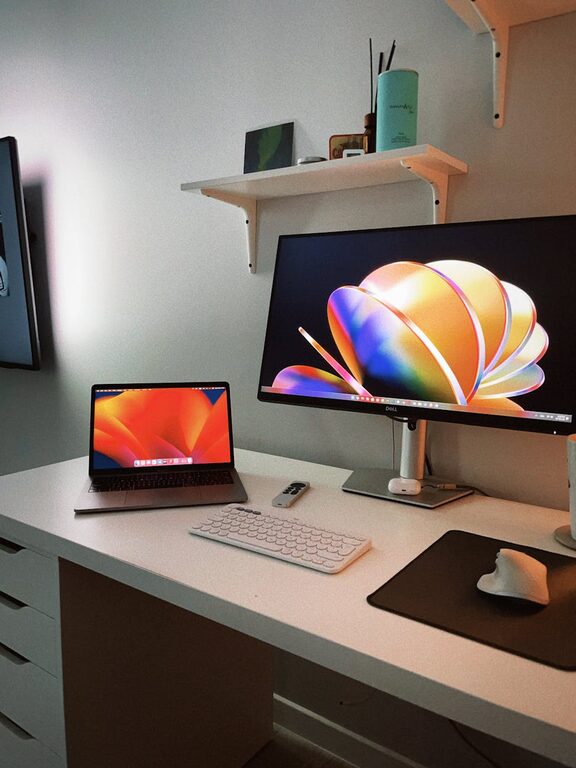
Working from home has become more common than ever before, making the design of an effective home workspace essential for maintaining productivity. Whether you are a freelancer, remote employee, or someone who occasionally works from home, having a dedicated and well-arranged area can make a significant difference in how efficiently you work. Below are detailed tips to help you create a home workspace that supports focus, comfort, and productivity.
Choose the Right Location
Selecting the right spot for your workspace is the first step. Ideally, pick a quiet area with minimal distractions. A spare room or a corner of your living space where you won’t be frequently interrupted works best. Good natural lighting is a bonus, as it can boost mood and reduce eye strain.
If space is limited, even a small nook can be turned into a productive zone with the right setup.
Invest in Ergonomic Furniture
Comfort is key during long work sessions. Invest in a good quality chair that supports your lower back and promotes good posture. Ergonomic desks or adjustable-height desks can also help you switch between sitting and standing, which is beneficial for your health.
Make sure your desk is spacious enough to hold your computer, notebook, and essential work items without feeling cramped.
Optimize Lighting
Adequate lighting reduces fatigue and helps maintain focus. Aim to position your desk near a window to take advantage of natural daylight. Supplement this with adjustable desk lamps for darker hours or cloudy days. Avoid harsh overhead lighting that causes glare on screens.
Declutter and Organize
A cluttered workspace can be distracting. Keep your desk tidy by using organizers, drawers, or shelves to store paperwork and supplies. Regularly declutter your area to maintain a clean environment.
Digital organization is just as important. Use folders and apps to keep your digital files manageable and easy to access.
Personalize Your Space Thoughtfully
Adding personal touches like plants, artwork, or a photo can make your workspace more inviting and increase your motivation. However, avoid overdecorating as too many items can become distracting.
Plants are particularly beneficial; they improve air quality and create a relaxed atmosphere.
Manage Noise Levels
Noise can disrupt concentration. If you cannot control external noise, consider noise-cancelling headphones or background music that helps you focus. White noise machines or apps can also mask distracting sounds effectively.
Establish Boundaries
Make it clear to household members when you are working and ask for minimal interruptions. This boundary helps maintain your focus and signals that your workspace is a professional area during work hours.
Use Technology Wisely
Keep your technology updated and organized to avoid interruptions. A reliable internet connection, quality webcam, and microphone are essential if your work involves virtual meetings.
Use productivity tools such as calendars, task trackers, and note apps to stay organized and on schedule.
Maintain Regular Breaks
Even the best workspace cannot replace regular breaks. Use a timer or apps to remind you to stand, stretch, and rest your eyes. This practice improves circulation and keeps your mind fresh throughout the day.
Keep Hydrated and Comfortable
Place a water bottle within reach to encourage hydration. Also, adjust the room temperature to a comfortable level to avoid discomfort distracting you from your tasks.
—
Creating a home workspace tailored to your needs can greatly enhance your productivity and work satisfaction. By focusing on comfort, organization, and minimizing distractions, you can enjoy a more efficient and pleasant work-from-home experience. Take time to set up your space thoughtfully—it’s an investment that pays off daily.