
 By
By 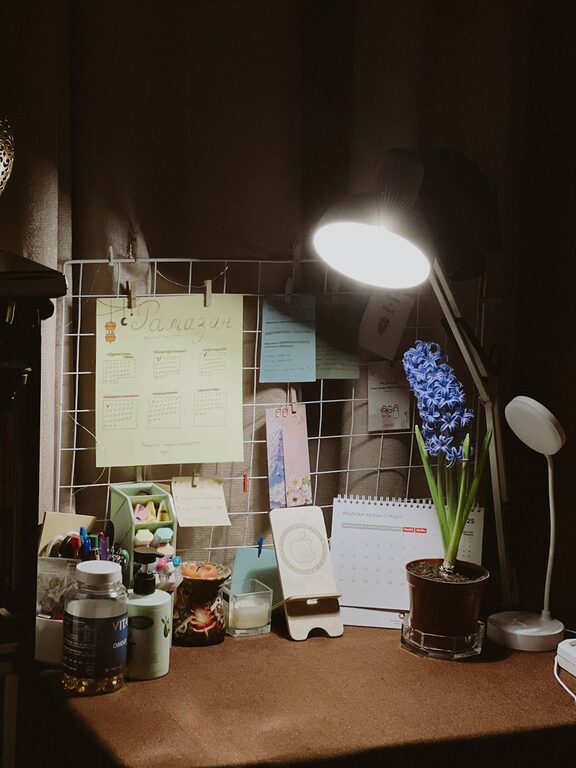
Creating a home workspace that feels both cozy and organized can transform your work-from-home experience. Whether you’re setting up a dedicated office room or a small corner in your living space, the right environment can improve focus, reduce stress, and help maintain a healthy work-life balance. Here are practical tips to help you build a workspace that is comfortable, efficient, and inviting.
Choose the Right Location
Consider Natural Light
Placing your desk near a window allows you to benefit from natural light, which can improve mood and reduce eye strain. If natural light is limited, invest in a quality task lamp with adjustable brightness.
Think About Noise Levels
Select a spot in your home that’s quieter or away from high-traffic areas to minimize distractions. If noise is unavoidable, noise-canceling headphones or white noise machines can help maintain concentration.
Invest in Comfortable Furniture
Ergonomic Chair and Desk
Comfort is key to staying productive. Choose an ergonomic chair that supports your back and encourages good posture. For desks, opt for one at a suitable height or consider adjustable sit-stand desks to vary your position during the day.
Add Soft Textiles
Incorporate soft cushions or a cozy throw blanket to your seating area. These elements add warmth and comfort without cluttering the space.
Keep It Organized
Use Storage Solutions
Clutter can cause stress and reduce focus. Use shelves, filing cabinets, or storage boxes to keep supplies tidy. Drawer organizers help separate small items like pens, cables, and sticky notes.
Limit What’s on Your Desk
Keep only everyday essentials on your desk to maintain a clean workspace. Store less-used items out of sight to reduce visual clutter.
Personalize Your Space
Adding personal touches can make your workspace more inviting:
– Hang artwork or photos that inspire you.
– Use plants or flowers to bring life and a sense of calm.
– Select desk accessories in colors that make you feel happy and motivated.
Optimize Technology and Cables
Manage Cables Neatly
Use cable organizers, clips, or sleeves to keep cords from tangling. This not only looks neater but also prevents accidents and equipment damage.
Upgrade Your Setup
Ensure your computer, keyboard, mouse, and other tech tools support your comfort and efficiency. A good quality monitor at eye level can reduce neck strain.
Maintain Good Air Quality
Proper ventilation keeps the air fresh, which boosts concentration. Open windows when possible or consider a small air purifier if needed.
Establish Work Boundaries
Define Work Hours
Creating a schedule and sticking to it helps maintain work-life balance. When your workday ends, physically clear or close your workspace to signal it’s time to relax.
Use Visual Cues
Set up a small sign or a light to indicate when you’re working and should not be disturbed.
Add Calming Elements
Scent and Sound
Use essential oils, candles, or diffusers with calming scents like lavender or eucalyptus. Play soft background music or nature sounds to create a peaceful atmosphere.
Regularly Declutter and Refresh
Make it a habit to tidy your workspace at the end of each day. Periodically review what you need and remove anything unnecessary to keep the space feeling open and fresh.
—
By carefully planning and maintaining your home workspace with these tips, you’ll enjoy a comfortable, organized environment that supports productivity and well-being. Remember, your workspace should evolve with your needs—don’t hesitate to make changes that make you feel more at ease and inspired.